Make AI Employees Reliable and Flexible
Ding Yu
Plan First, Then Run, So There Are No Surprises
Every so often, I see news about an AI deleting company files or even a database and causing real damage. For example:
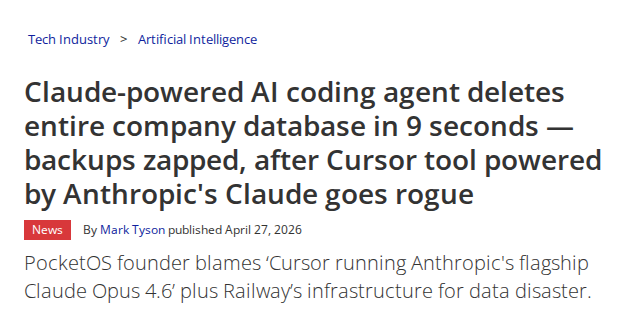
Image: In April 2026, Tom’s Hardware reported that an AI agent deleted a company’s production database and backups.
Most day-to-day work is not as dramatic as deleting a database. But the lesson is the same: if you completely let AI run on its own, even a task that looks safe can still create serious damage as a side effect.
So we should treat AI like a junior employee. First, ask it to make a plan. After we review and approve the plan, it should execute strictly according to that plan.
That is one of the most important ideas in Aqua Blue. When you create an AI employee with Aqua Blue, it first writes a plan for you to review. After you approve it, the AI employee follows that plan.
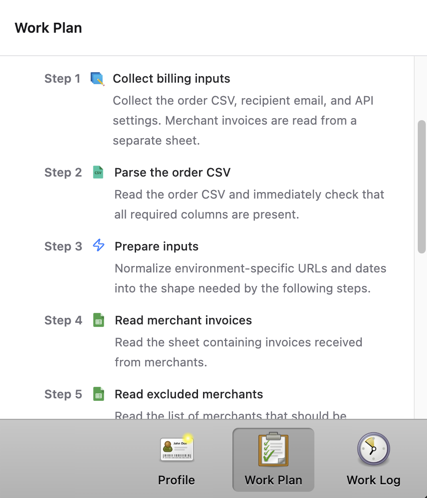
When you create an AI employee with Aqua Blue, it first writes a plan for you to review. You can inspect every step before it runs. After you approve it, it executes according to the plan.
Bring People In When the Plan Is Not Enough
But the real world is full of exceptions. An order may be missing information. A customer name may not match. A record that should be unique may have duplicates. If the AI employee can only follow the plan, the work gets stuck.
That is when a person needs to step in. The person makes the judgment, and then the AI continues.
This is often called human in the loop AI: the AI employee handles routine work and asks a person when judgment matters.
For example, while planning, you can tell the AI employee: if the customer name does not match, ask me, I will give you the correct name, and then you can continue.
This puts mechanical work on the AI and leaves important or uncertain decisions to people.
But this creates new questions. If 100 customer names fail to match, should the AI ask you 100 separate questions? If each question includes a lot of text and customer names, reading it in chat can become tiring. Could the information be shown in a table instead?
Show Human Review Clearly
Aqua Blue is optimized for this problem: the AI employee can turn the information it needs into a dedicated form interface and show it in the clearest way. If you need to confirm 100 customer names, Aqua Blue can show a table where each row is one customer. You edit or confirm the rows, click Submit, and the AI employee continues.
Here is a real example.
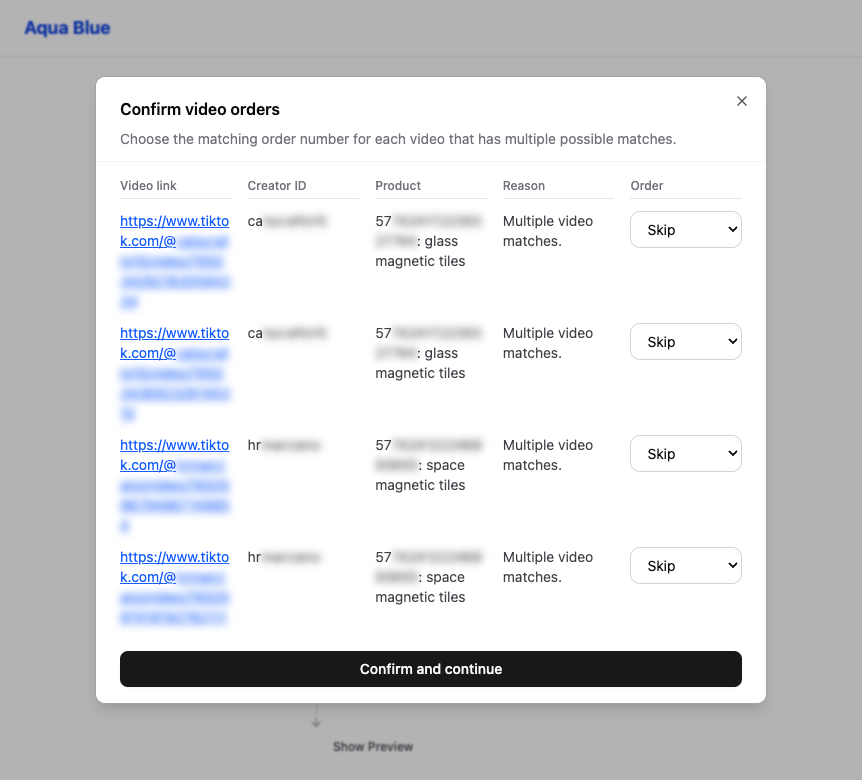
Image: Aqua Blue pauses during a run and asks the seller to choose the right order for each TikTok video.
This is from a large TikTok Shop seller using Aqua Blue to sync orders into an internal Feishu Bitable. Each time the task runs, if Aqua Blue finds videos that may match multiple orders, it shows this interface. The seller chooses the right order number for each video, or chooses to skip it, and Aqua Blue continues the sync.
Unlike many AI products that can only ask questions in chat, Aqua Blue can display the problem in the clearest format for the decision.
Flexibility Built on Safety
For most repetitive daily work, we want AI to complete the job according to a plan. When something unexpected happens, we still need human judgment. Aqua Blue supports both, so your work can move faster without giving up control.