How to Automate Monthly Excel Reports
Ding Yu
For many finance and management accounting teams, every month starts with the same spreadsheet work.
Export data from the accounting system. Clean the columns. Match accounts and departments. Summarize actuals. Compare them with budget. Write the variance comments management needs.
Doing it once is not the hard part. Doing it again every month is. The numbers also have to be right, so the closer you get to close, the more this repeated spreadsheet work gets in the way.
This is exactly the kind of work an AI employee can help with. Not by improvising, but by learning the workflow the same way a new teammate would.
Teach It Like a New Teammate
You do not need to write a technical specification. Explain how you normally build the report: which files arrive each month, which columns need cleanup, how accounts and departments are mapped, which variances need review, and what the final Excel workbook should look like.
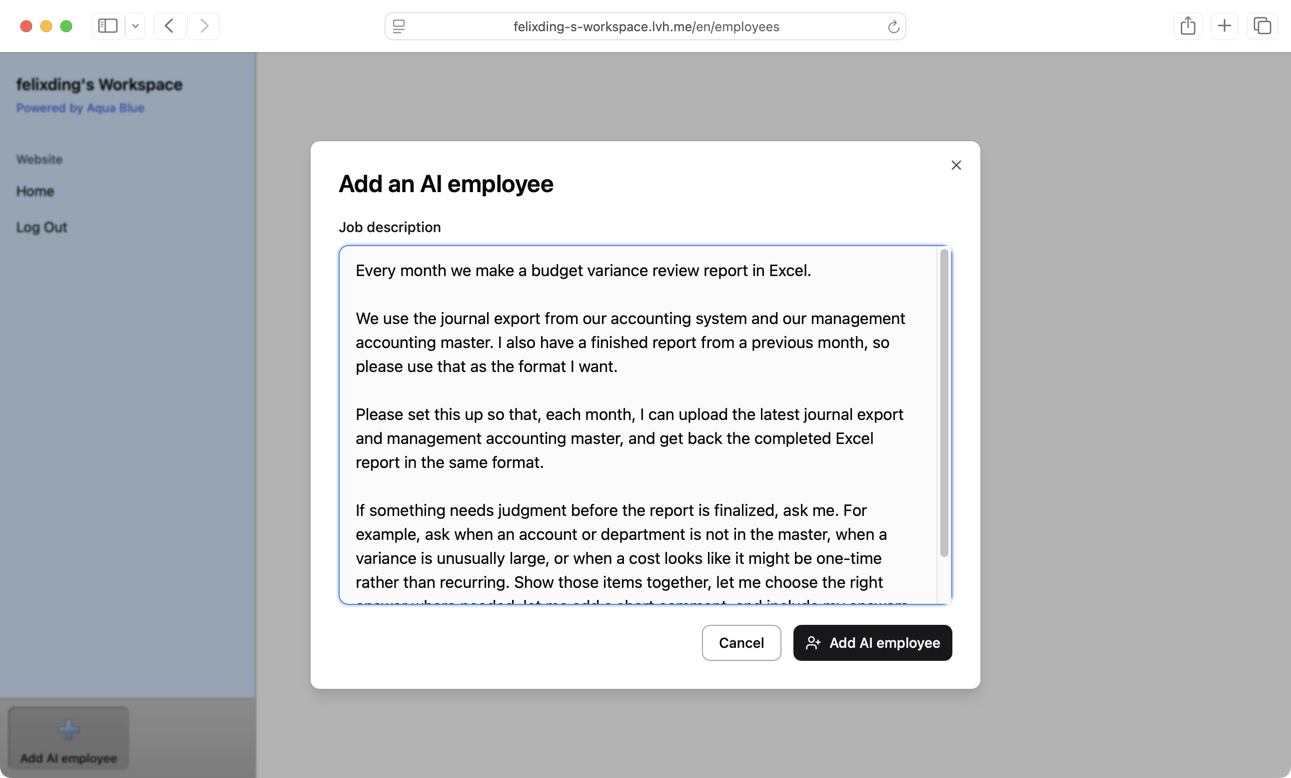
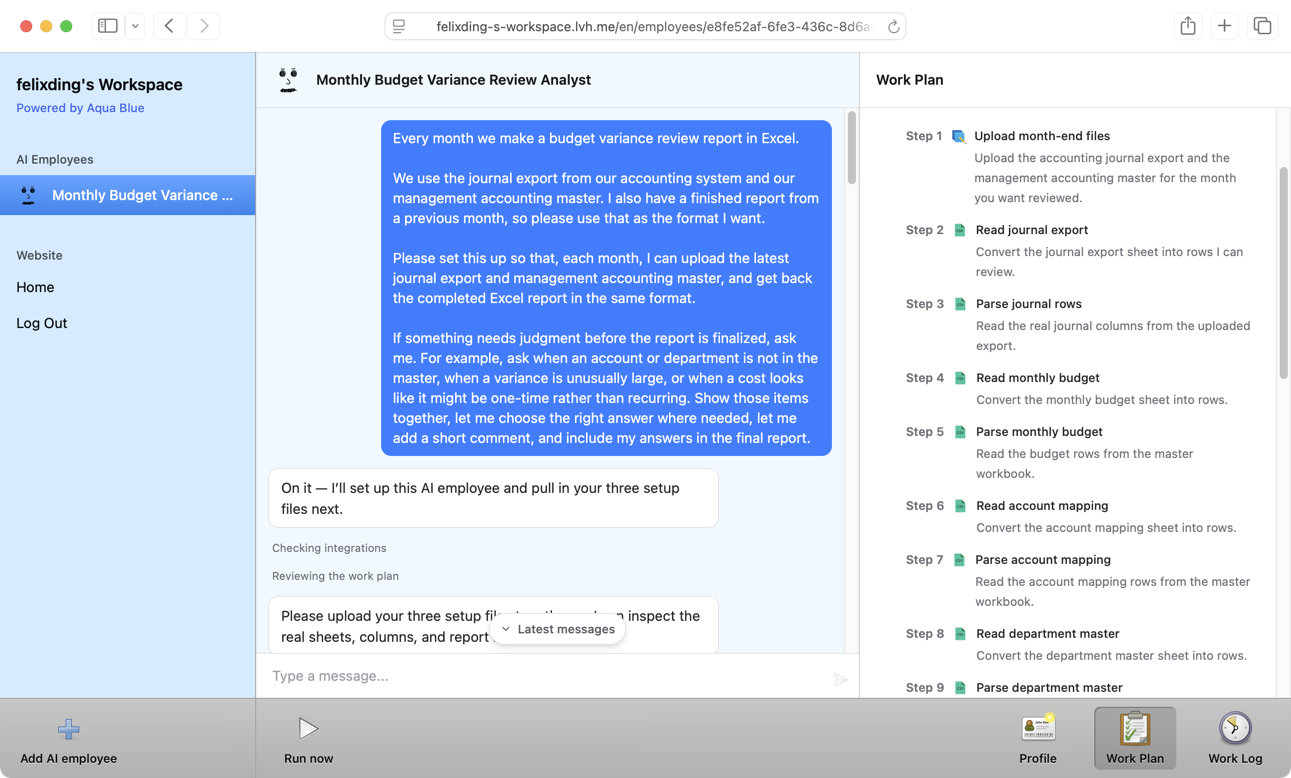
The AI employee turns that explanation into a plan. You can see what it is doing instead of sending a request into a black box.
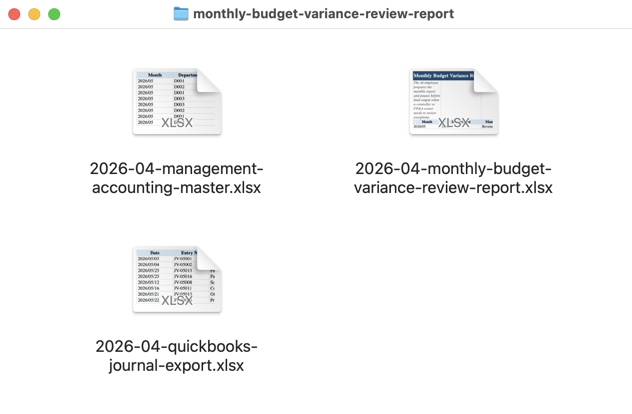
If it needs examples, it asks for them directly. You can upload the source spreadsheets your team normally starts from and a finished report from a previous month. That gives it both sides of the job: the input files and the workbook you expect back.
Next Month, Upload the Current Files
After the plan is approved, the AI employee can be reused.
Next month, you do not need to explain the process again. Upload the current files in the same format and start the task.
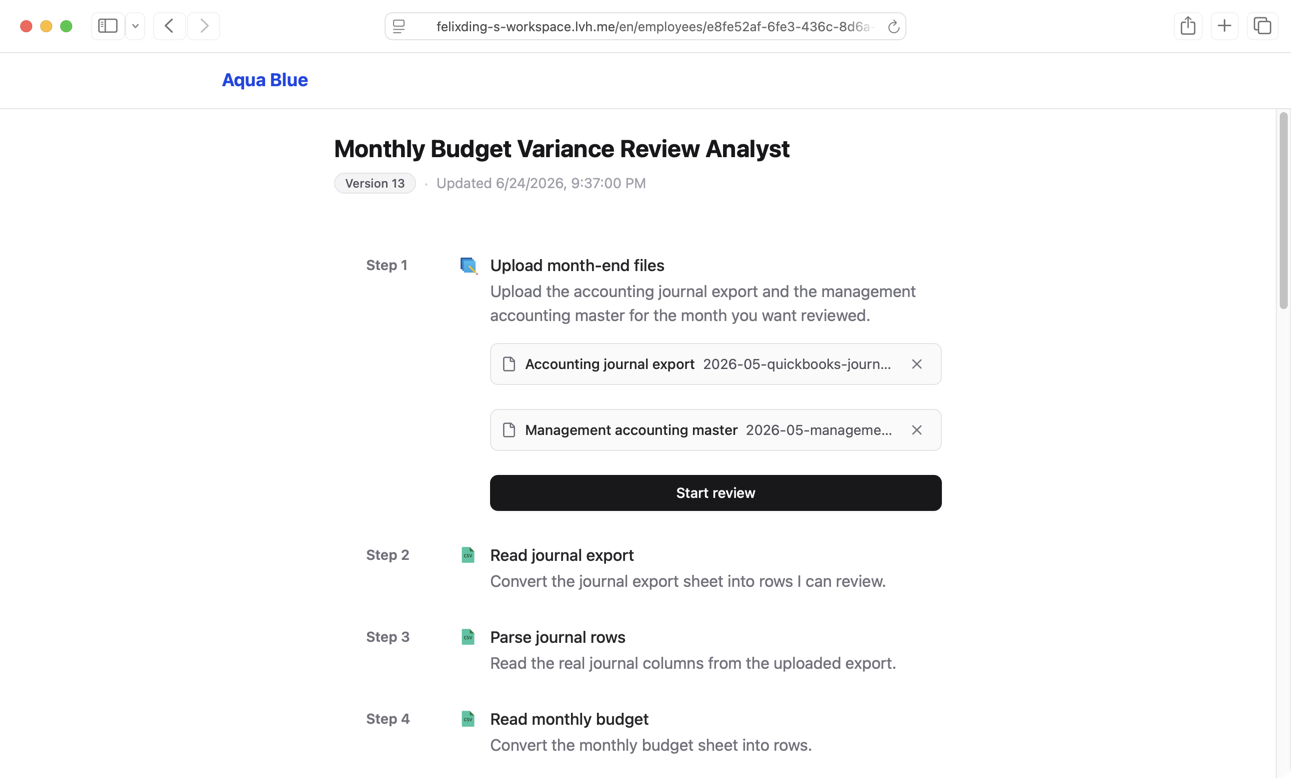
It runs the steps in order: read the ledger export, summarize by management accounting category, calculate budget variances, and collect the items that need explanation.
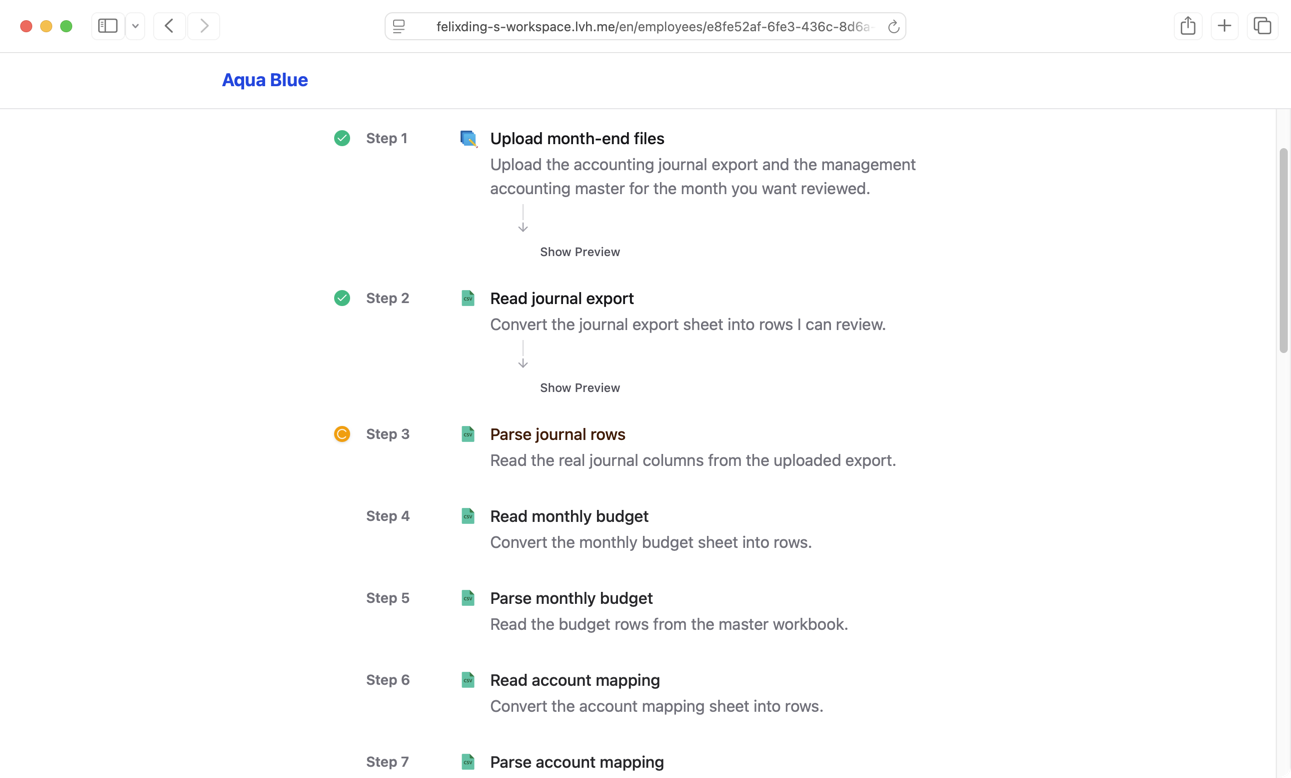
Some judgment calls should still belong to a person. A variance may be too large. An account may be missing from the mapping. An expense may be one-time or recurring.
When that happens, the AI employee can pause and show the items in a clear form. The reviewer sees the reason, the suggestion, the available choices, and a comment box, then submits the decision.
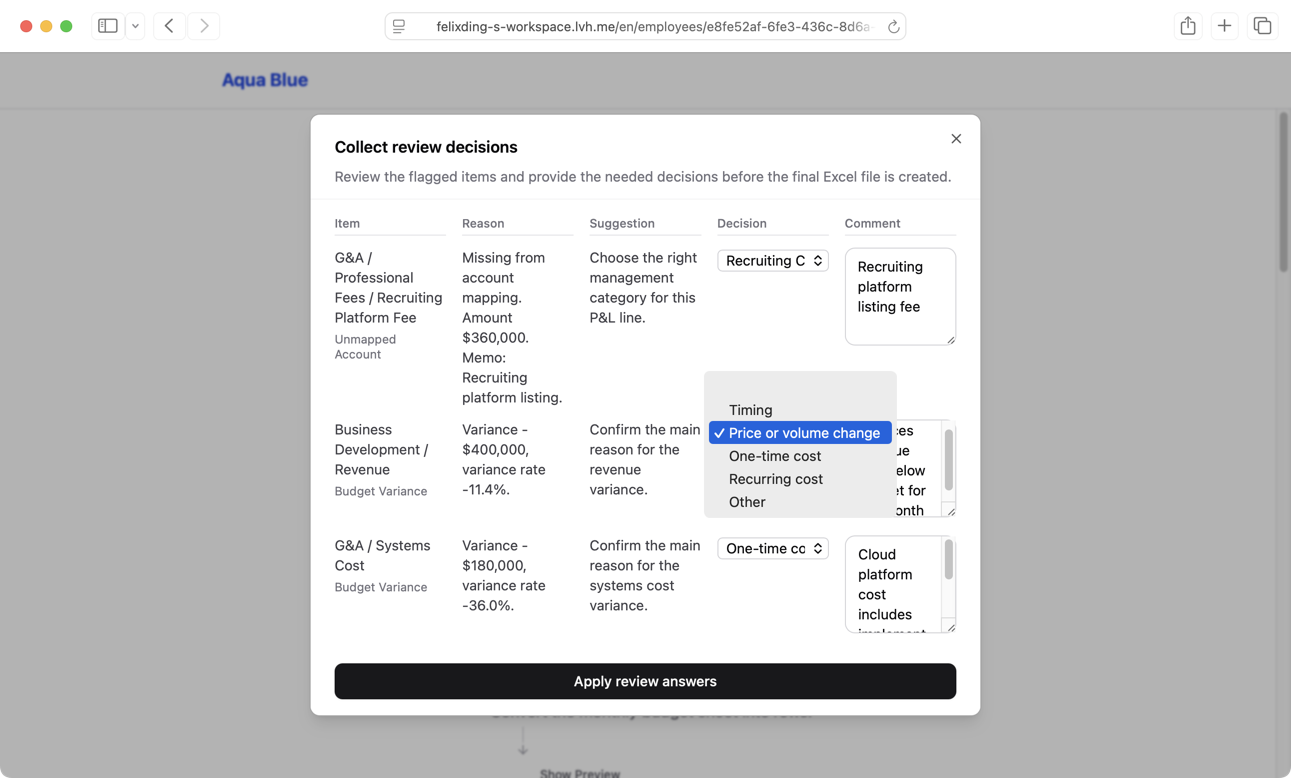
After that, the AI employee continues and creates the downloadable Excel file.
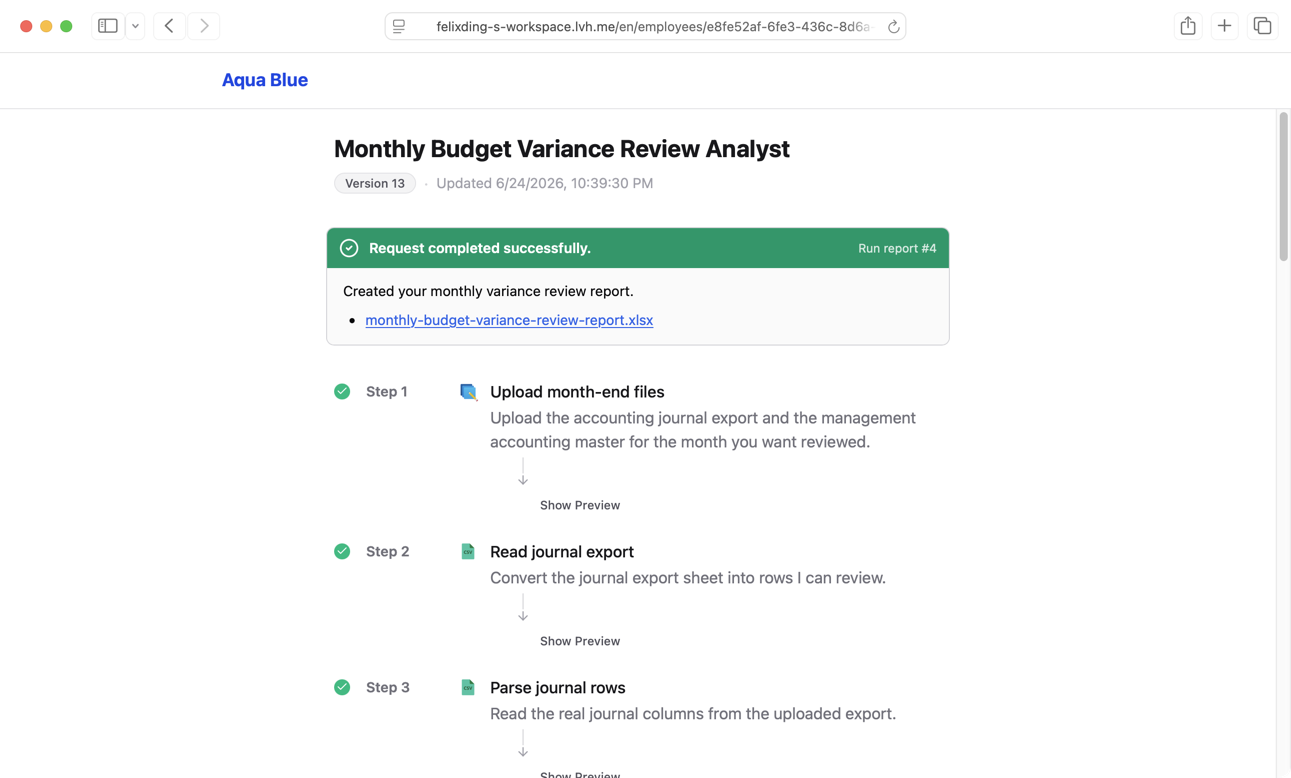
You Still Get the Familiar Workbook
The output is not a new dashboard your team has to relearn. It is the Excel workbook they already know, generated from the current month’s source files.
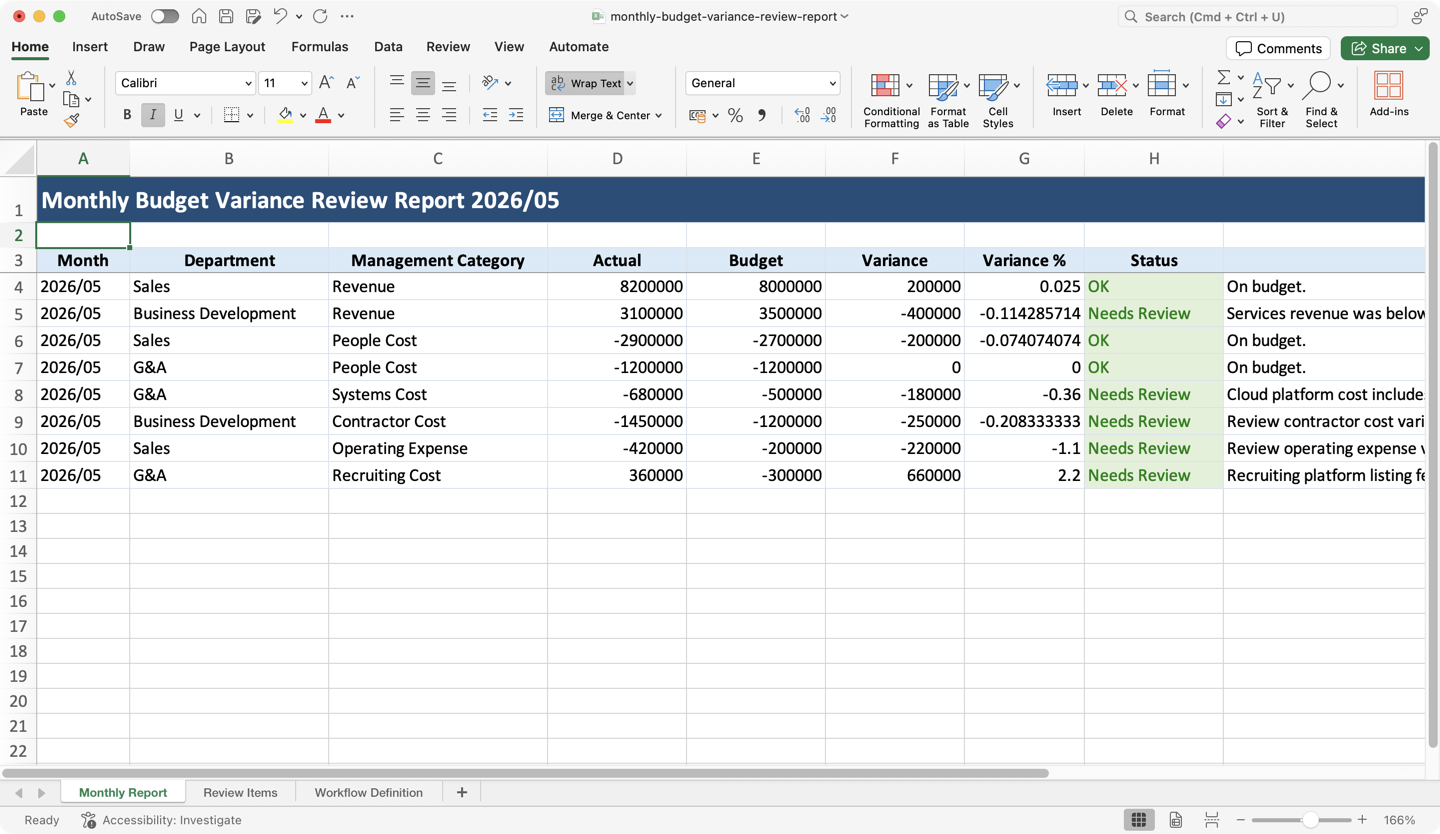
The review answers and comments are written into the final workbook too, so the report keeps the reasoning behind the numbers.
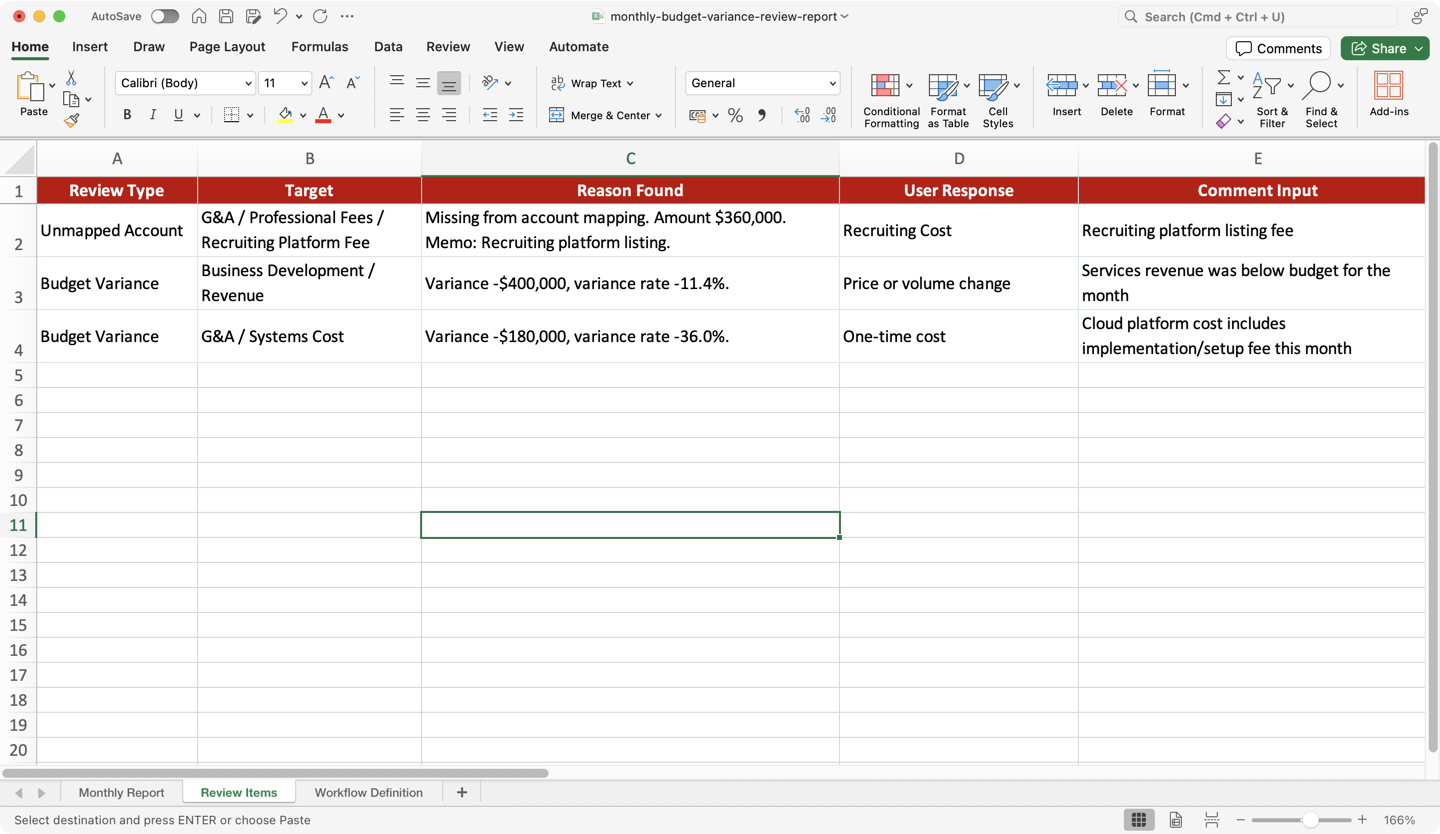
The point is not to take Excel away from finance teams. The point is to stop spending days on the same exports, cleanup, checks, and workbook updates every month.
Teach the workflow once. Upload the files. Review the exceptions. Get the finished report back in minutes.